
ChordPad - Android Chord Book1.3.6.8 - Google Play
You'll be able to see results in few seconds.
Publisher Description
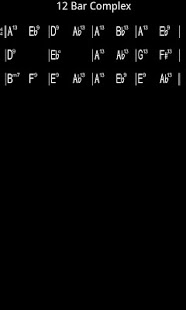
Carry your chord book with you, enter, edit and display your chord charts on your android device.
Easily transpose chord charts which will be remembered until you change it.
Easy entry and editing of chord charts with logical chord groupings such as in-key, minor or dominant displays.
Link each chord chart to an audio or Midi file that is on your device. Great for practise or solo gigs. Songs within set-lists can have different audio files so you can have multiple keys or arrangements.
*** NEW in 1.3.6.7 ***: Link each chord chart to an image file or PDF. Add a lead sheet. Songs within set-lists can have different image files so you can have multiple keys or arrangements.
Create and save your own templates for entering chord charts.
Create and manage multiple set-lists each with their own transposition.
Enter a full screen of notes for each chart with information or anything else you want to remember.
Move between all charts or charts in a set-list with a horizontal screen swipe.
Choice of Black on White or White on Black screen colour and an option to highlight repeats and signs.
Add repeats, rests and other standard music notation marks.
Send Charts to other chordpad users via email as well as to image for printing.
Multiple screen sizes have been generated and tested on an emulator, if they dont appear correctly on your device, please let us know.
A quick start guide is available from Menu/More in html format.
About ChordPad - Android Chord Book
The company that develops ChordPad - Android Chord Book is stevel05. The latest version released by its developer is 1.3.6.8.
To install ChordPad - Android Chord Book on your Android device, just click the green Continue To App button above to start the installation process. The app is listed on our website since 2013-11-28 and was downloaded 0 times. We have already checked if the download link is safe, however for your own protection we recommend that you scan the downloaded app with your antivirus. Your antivirus may detect the ChordPad - Android Chord Book as malware as malware if the download link to com.stevel05.chordpad is broken.
How to install ChordPad - Android Chord Book on your Android device:
- Click on the Continue To App button on our website. This will redirect you to Google Play.
- Once the ChordPad - Android Chord Book is shown in the Google Play listing of your Android device, you can start its download and installation. Tap on the Install button located below the search bar and to the right of the app icon.
- A pop-up window with the permissions required by ChordPad - Android Chord Book will be shown. Click on Accept to continue the process.
- ChordPad - Android Chord Book will be downloaded onto your device, displaying a progress. Once the download completes, the installation will start and you'll get a notification after the installation is finished.
Program Details
System requirements
Download information
Pricing
Version History
version 1.3.6.8
posted on 2013-11-28
1.3.6.8 bug fix on new install,1.3.6.7,Added Link to Image option which can be standard image or PDF file. You need a reader available on your device to display them such as Adobe PDF reader.,WARNING! This may cause out of memory issues on older and/or low spec devices. Please ensure you test it thoroughly before using in a live situation.,A translucent button with an 'i' is displayed top right when an image is linked to a song. Separate files can be linked for each set list ..
version 1.3.6.4
posted on 2013-04-16
Several fixes and updates
Disclaimer
Official Google Play Link
We do not host ChordPad - Android Chord Book on our servers. We did not scan it for viruses, adware, spyware or other type of malware. This app is hosted by Google and passed their terms and conditions to be listed there. We recommend caution when installing it.
The Google Play link for ChordPad - Android Chord Book is provided to you by apps112.com without any warranties, representations or guarantees of any kind, so access it at your own risk.
If you have questions regarding this particular app contact the publisher directly. For questions about the functionalities of apps112.com contact us.
